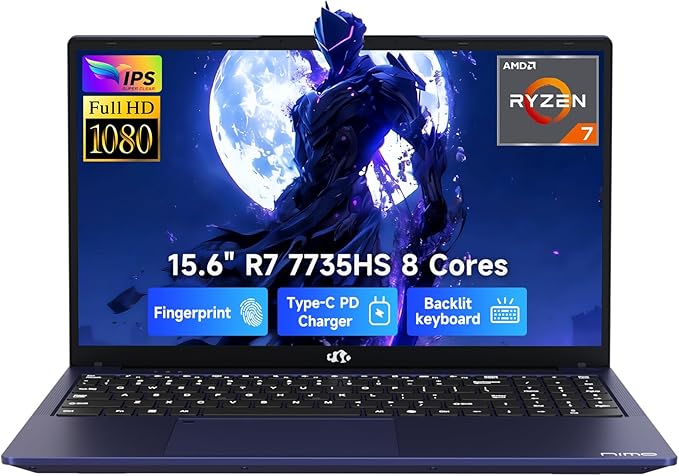
Best Budget Laptops for Students 2026
1/20/2026 · Laptops · 7 min

TL;DR
- Under $600: prioritize battery life, weight, and reliable CPU over peak performance.
- Best all round pick: 14 to 15 inch laptop with an efficient 6 to 8 core processor, 8 to 16 GB RAM, 256 to 512 GB NVMe SSD.
- For heavy multitasking or light creative work: prefer 16 GB RAM and a Ryzen 5 or Intel Core i5 class CPU.
Who this guide is for
- High school and college students on a tight budget who need reliable machines for notes, web research, video calls, and light media editing.
- If you do gaming or heavy video editing, expect to spend more or look for used midrange machines.
Performance: CPU and multitasking
- Prioritize modern efficient CPUs. Look for recent Ryzen 5000/6000/7000 series mobile chips or Intel 11th gen and newer Core i3 and Core i5 models for the best balance of power and battery life.
- Core counts: 4 cores is fine for basic tasks, 6 to 8 cores helps with multitasking and light content creation.
- Integrated graphics are adequate for web apps, streaming, and casual games. Dedicated GPUs add cost and reduce battery life.
Memory and storage
- RAM: 8 GB is the minimum. 16 GB is the sweet spot if you use many browser tabs or light editing apps.
- Storage: NVMe SSDs boot fast and improve app responsiveness. 256 GB is a practical minimum; 512 GB is better if you keep files locally.
- Check if RAM and SSD are user upgradable to extend device lifespan.
Screen, size, and build
- 13 to 14 inch: best for portability and long days on campus.
- 15 to 16 inch: better for multitasking and media, but add weight.
- Aim for at least 1080p resolution and matte finish to reduce glare. Higher refresh rates are unnecessary for study use.
Battery life and charging
- Look for advertised 8 plus hours in real world mixed use. Real battery life varies with screen brightness and workload.
- USB-C charging adds flexibility. A laptop that charges over USB-C lets you use compact chargers or power banks when compatible.
Ports and connectivity
- Essential: at least one USB-C port, two USB-A ports, a headphone jack, and an HDMI or USB-C video output for presentations.
- Wi Fi 6 is a plus for future proofing but not required. Ethernet is rare on slim models but useful in dorms with wired networks.
Keyboard, webcam, and mic
- Comfortable keyboard with decent key travel matters for long typing sessions.
- 720p webcam is common; pick a model with a good mic and software noise reduction for calls.
Durability and service
- Look for MIL STD style claims only as one data point. Check warranty length and service options in your region.
- Student discounts and campus offers often include extended support or discounts on peripherals.
Which should you buy?
- Choose portability focused models if you commute or carry your laptop daily: 13 to 14 inch, sub 3.5 lb, 8 to 12 hour battery.
- Choose a larger 15 inch laptop if you do frequent multitasking or media editing and dont mind the extra weight.
- If budgets allow, pick a model with upgradable RAM or SSD to extend usefulness.
Buying checklist
- Size and weight: match to how often you carry it.
- Battery life: aim for 8 hours real world.
- RAM: 8 GB minimum, 16 GB preferred.
- Storage: NVMe SSD, 256 GB minimum.
- Ports: USB-C with charging, HDMI or DisplayPort out, USB-A, headphone jack.
- Service: warranty and regional support.
Bottom line
For students in 2026, the best budget laptop balances portability, battery life, and modern CPU efficiency. Prioritize a lightweight 13 to 15 inch model with at least 8 GB RAM and an NVMe SSD, and choose upgradability when possible to keep the machine useful through multiple school years.
Found this helpful? Check our curated picks on the home page.