Trackball vs Ergonomic Mouse: Which Should You Buy?
4/25/2026 · Peripherals · 9 min read
TL;DR
- Trackballs and ergonomic mice both aim to reduce wrist strain, but they solve the problem in fundamentally different ways — trackballs eliminate arm movement, while ergonomic mice fix hand posture.
- If you suffer from wrist pain caused by repetitive side-to-side mouse movements, a trackball is often the better choice because your arm stays completely still.
- If your discomfort comes from pronation (twisting your forearm palm-down), a vertical ergonomic mouse addresses that directly with a handshake-style grip.
- Trackballs have a steeper learning curve — expect 1–2 weeks to feel comfortable, and possibly a month before fine control feels natural.
- For gaming and precise creative work like photo retouching, most users still prefer a traditional ergonomic mouse over a trackball.
- Budget options exist in both categories starting around $25–$40, but the sweet spot for comfort and build quality is $50–$100.
What counts as an ergonomic mouse?
The term "ergonomic mouse" is broad. Technically, any mouse designed to reduce strain qualifies. In practice, the market splits into two main camps: vertical mice and trackball mice. Vertical mice tilt your hand into a natural handshake position, reducing the forearm pronation that standard flat mice force on you. Trackball mice replace the entire motion of sliding a mouse across a desk with a stationary ball that you roll with your thumb or fingers.
There are also other ergonomic designs — centred mice (like the Logitech MX Ergo's tilt base), pen-grip mice, and joystick-style pointers — but vertical mice and trackballs dominate the category. This guide focuses on those two because they represent the clearest choice most buyers face.

How a trackball works
A trackball is essentially an upside-down mouse. Instead of moving the entire device to shift a sensor across a surface, you spin a ball mounted on top (or on the side) of a stationary base. The sensor reads the ball's rotation and translates it into cursor movement.
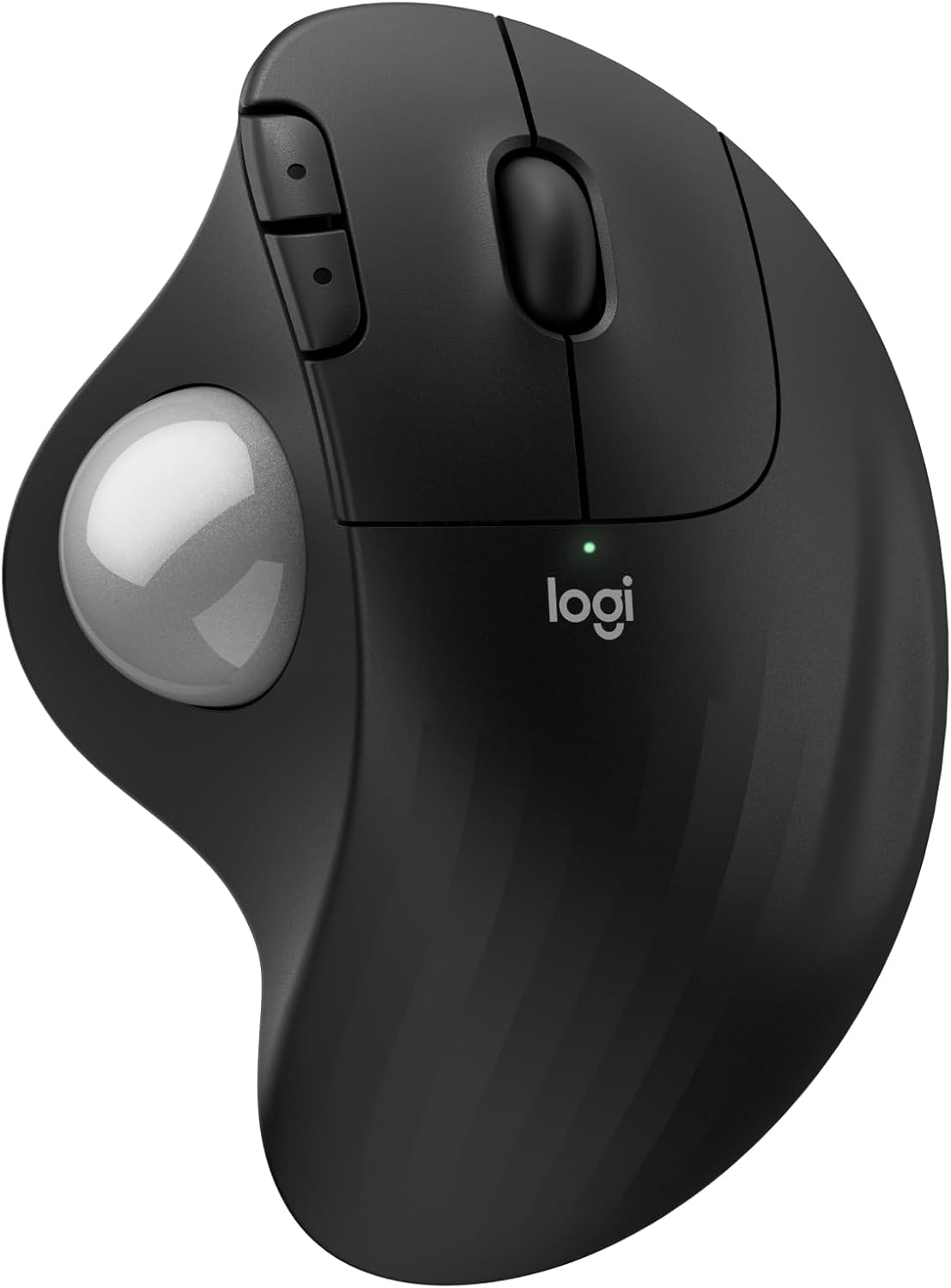
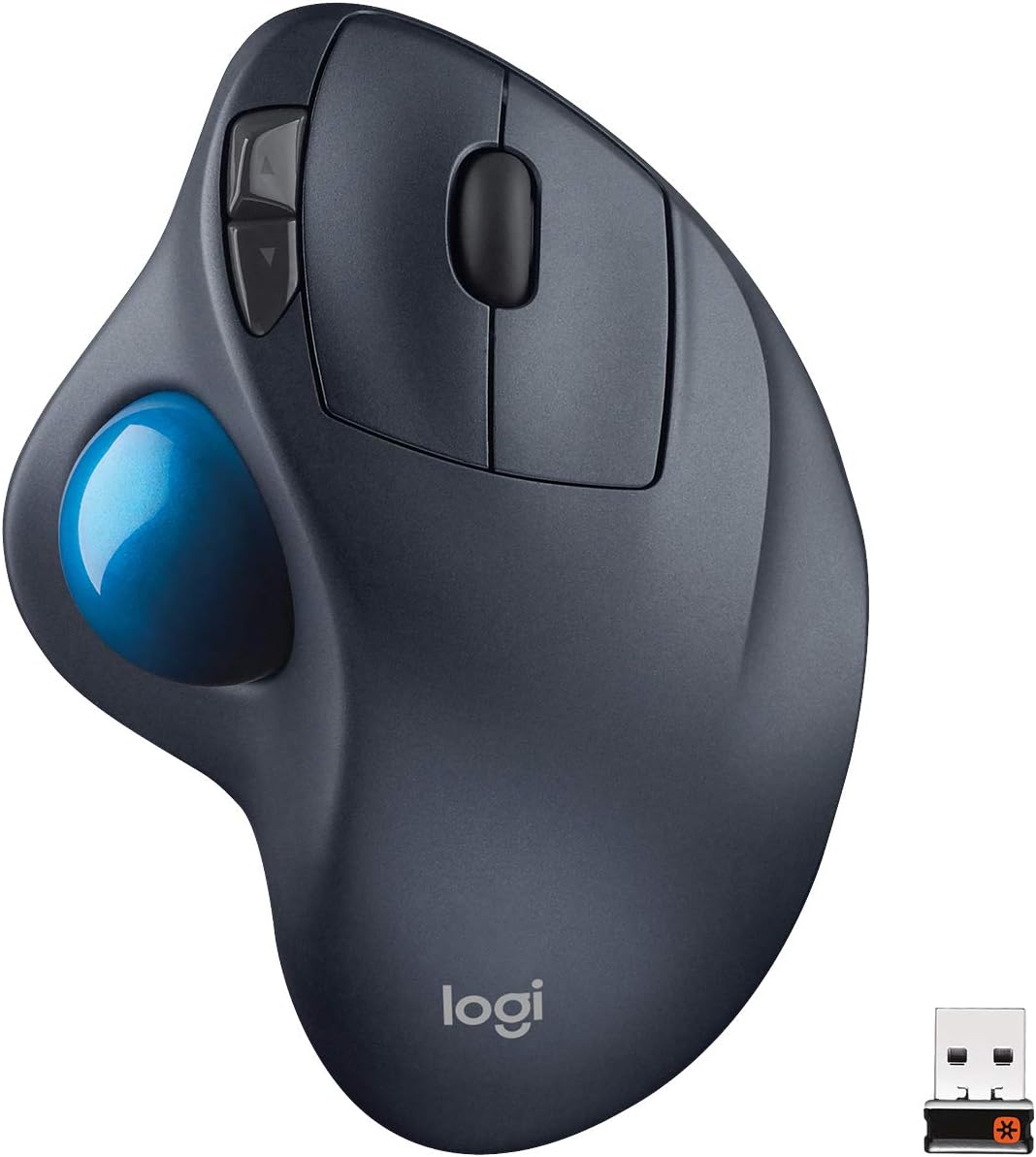
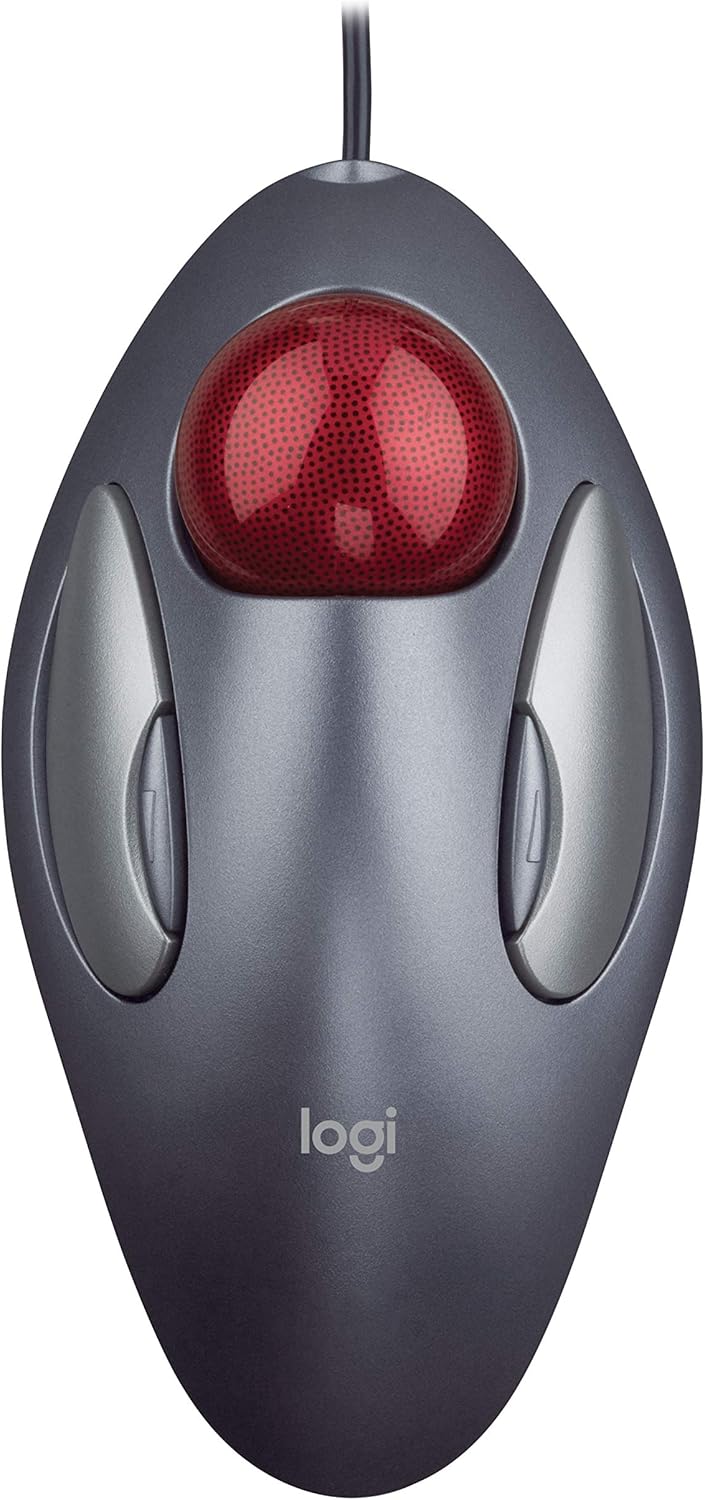
Trackballs come in two main styles. Thumb-operated trackballs like the Logitech Ergo M575 place a small ball on the left side, controlled by your thumb while your fingers handle the buttons. Finger-operated trackballs like the Kensington Expert place a larger ball in the centre, controlled by your index and middle fingers. Thumb models are more popular because the transition from a regular mouse feels more intuitive, but finger models offer greater precision due to the finer motor control of your fingertips.
The key advantage is that your arm, wrist, and hand stay completely stationary. There is zero sliding friction, zero wrist extension, and zero shoulder engagement. For people who have developed repetitive strain injuries from years of mousing, this can be transformative.
How a vertical ergonomic mouse works
A vertical mouse looks like a regular mouse tilted 60–90 degrees on its side. You grip it in a handshake position rather than laying your hand flat. This eliminates forearm pronation — the twisting motion that puts pressure on the tendons and nerves running through your wrist.
You still move a vertical mouse across your desk the same way you move a traditional mouse. The sensor on the bottom tracks surface movement. The difference is purely in hand and wrist posture. Your radius and ulna bones stay parallel rather than crossing over each other, which reduces compression on the median nerve and can help prevent or alleviate carpal tunnel symptoms.
Vertical mice require almost no adjustment period. If you can use a regular mouse, you can use a vertical mouse — the grip feels odd for an hour or two, but cursor control is immediately familiar because the fundamental motion is the same.
Head-to-head comparison
| Feature | Trackball | Vertical Ergonomic Mouse |
|---|---|---|
| Desk space needed | Minimal — device is stationary | Same as a regular mouse |
| Learning curve | 1–2 weeks for comfort | A few hours at most |
| Wrist movement | None | Reduced pronation, still some lateral motion |
| Precision for gaming | Moderate — thumb models struggle at high speed | Good — comparable to standard mice |
| Precision for creative work | Good with finger-operated models | Very good |
| Portability | Bulkier, but no surface needed | Standard mouse size, needs a surface |
| Cleaning required | Regular ball cleaning (every 1–2 weeks) | Minimal — same as any mouse |
| Button count (typical) | 3–5 | 4–6 |
| Price range | $25–$150 | $20–$120 |
| Best for | RSI from arm/wrist movement, tiny desks | Pronation pain, general comfort upgrade |
Comfort and ergonomics deep dive
The comfort story depends entirely on where your pain is coming from. If you have been diagnosed with carpal tunnel syndrome or feel tingling and numbness in your thumb, index, and middle fingers, a vertical mouse directly addresses the mechanical cause — pronation compressing the carpal tunnel. Switching to a vertical mouse often provides noticeable relief within days.
If your pain is more in the forearm, shoulder, or upper arm — the kind of dull ache that builds over a long workday — a trackball is usually more effective because it eliminates the repetitive arm movement entirely. You can use a trackball with your arm resting motionless on an armrest all day. No reaching, no sliding, no lifting.
Some people have both issues. In that case, consider a thumb-operated trackball with a tilted base, like the Logitech MX Ergo, which combines the stationary benefit of a trackball with a 20-degree tilt to partially reduce pronation. It is a compromise rather than a full solution for either problem, but it covers more ground than either a pure trackball or a pure vertical mouse.

Precision and productivity
For everyday office work — clicking links, navigating menus, selecting text, dragging files — both devices are perfectly capable. The differences show up in tasks that require fine, fast, or sustained precision.
Photo and video editing: Vertical mice win here for most users. Precise selections, mask painting, and timeline scrubbing all rely on the same muscle memory you have built with a standard mouse. Trackballs can work for editing, but the thumb-operated variety lacks the fine control needed for pixel-level adjustments. A finger-operated trackball like the Kensington Expert is better for creative work because your fingers have more dexterity than your thumb.
Spreadsheets and data entry: Trackballs have a subtle edge. Because your hand never leaves its resting position, you can click cells and scroll through rows all day without fatigue. A vertical mouse works fine too, but the constant small movements add up over 8 hours.
CAD and 3D modeling: Vertical mouse, without question. These workflows demand smooth, continuous cursor motion with frequent zooming and panning using scroll wheels and middle-click. Trackballs can handle it, but the learning curve in 3D space is steep.
Gaming performance
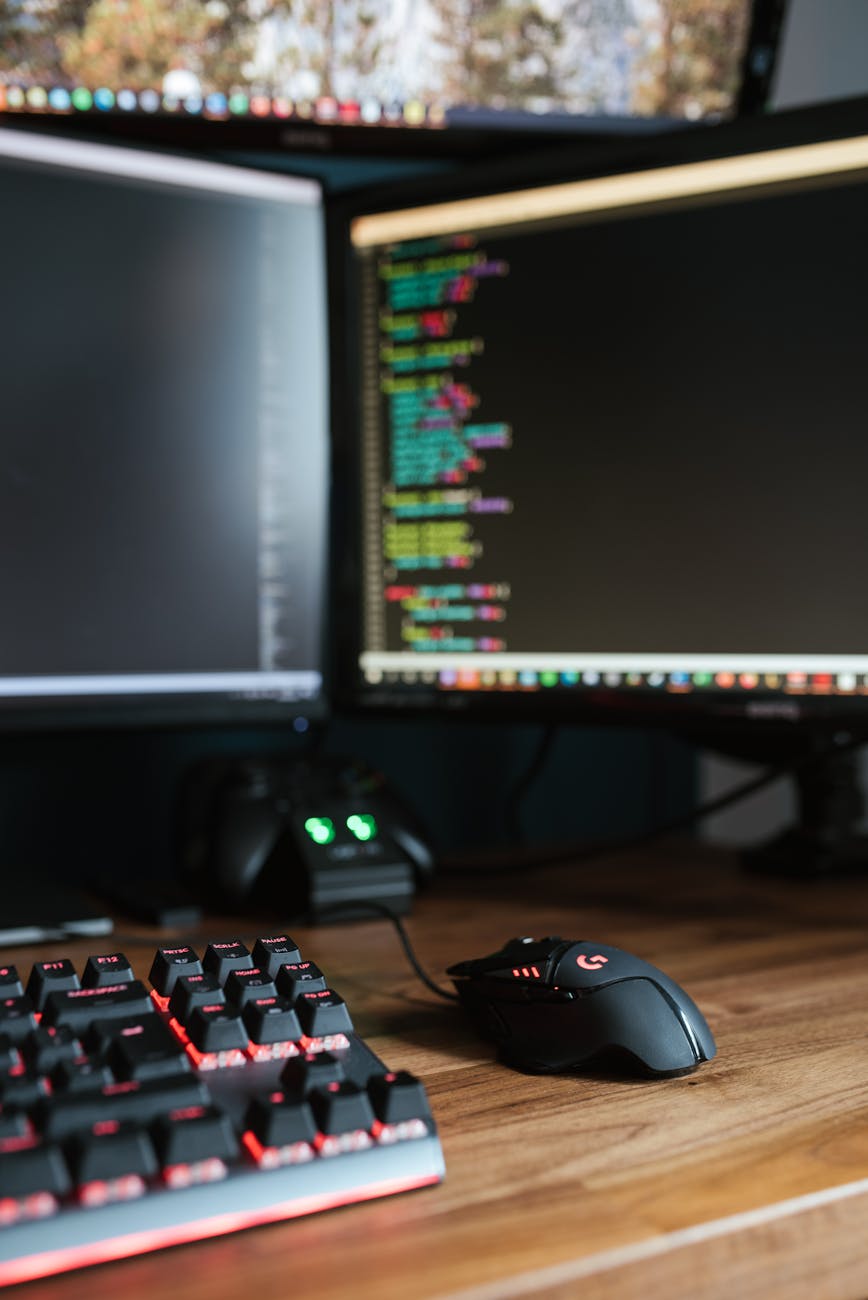
Let's be direct: if competitive gaming is your priority, neither a trackball nor a vertical ergonomic mouse is optimal. Competitive gamers prioritize lightweight, low-latency traditional mice with high-DPI sensors and fast polling rates. Both trackballs and ergonomic mice sacrifice some speed for comfort.
That said, if you want to game casually while protecting your wrists, a vertical mouse is the better gaming choice. It uses the same motion as a standard mouse, so flick aiming and tracking translate directly. Several vertical mice now come with gaming-grade sensors (up to 16,000 DPI) and polling rates up to 1,000 Hz.
Trackball gaming is a niche within a niche. Some dedicated trackball users swear they can aim just as well, especially in slower-paced games like turn-based strategy, city builders, and MOBAs. But in fast-paced FPS games, the thumb-operated trackball simply cannot match the speed and accuracy of a whole-arm flick. Finger-operated trackballs fare slightly better, but they are still at a disadvantage.
Desk space and portability
Trackballs shine in cramped workspaces. Because the device never moves, you need exactly as much desk space as the trackball's footprint — typically about 5 × 4 inches. You can use a trackball on an airplane tray table, a couch armrest, or even your thigh. No mousepad required, no smooth surface required.
Vertical mice need the same desk real estate as a standard mouse — roughly 8 × 10 inches of clear mousing area, ideally on a mousepad for smooth tracking. This is fine at a desk but limits portability.
For travel and mobile work, a trackball is the more practical choice despite being slightly bulkier as a device. The ability to use it on any surface — or no surface at all — outweighs the size difference.
Maintenance and durability
Trackballs require regular cleaning. Dust, skin oils, and debris accumulate around the ball's bearings, causing the cursor to stutter or drift. Most trackballs have a pop-out ball — cleaning takes 30 seconds with a microfiber cloth every week or two. If you neglect it, tracking degrades noticeably.
Vertical mice require no special maintenance beyond the occasional wipe-down. Their sealed optical or laser sensors track reliably for years. Scroll wheels and switches wear out eventually (typically after 10–20 million clicks), but that is the same lifespan as any mouse.
Build quality varies wildly in both categories. Premium trackballs like the Kensington SlimBlade Pro use ruby bearings and feel built to last a decade. Budget trackballs often use plastic bearings that develop flat spots. On the vertical mouse side, premium options like the Logitech MX Vertical use quality materials and durable switches, while cheap $15 vertical mice from unknown brands tend to develop scroll wheel issues within a year.
Top picks in each category
Best thumb trackball: Logitech Ergo M575 ($50). Comfortable, reliable, long battery life (up to 24 months on a single AA), and Bluetooth plus USB receiver connectivity. The successor MX Ergo S ($100) adds a rechargeable battery, tilt adjustment, and a higher-precision sensor.
Best finger trackball: Kensington Expert Wireless ($80–$100). The large 55mm ball offers excellent precision. Four customizable buttons and a scroll ring around the ball. Connects via Bluetooth or 2.4 GHz dongle.
Best vertical mouse (general): Logitech MX Vertical ($80–$100). 57-degree tilt angle, 4,000 DPI sensor, USB-C charging, and Logitech's Flow software for multi-computer use.
Best vertical mouse (budget): Anker Ergonomic Vertical Mouse ($20–$25). Wired, 1,000 DPI, surprisingly comfortable for the price. A great way to test whether vertical mice work for you before investing more.
Best hybrid: Logitech MX Ergo ($70–$100). Thumb trackball with a 20-degree adjustable tilt. Not a true vertical mouse but borrows the tilt concept. Excellent if you want some pronation relief plus a stationary device.
Making the switch — practical tips
Whichever direction you choose, give yourself time. Even a vertical mouse — with its negligible learning curve — feels slightly weird for a day. A trackball can feel genuinely frustrating for the first week.
Start by using the new device for low-stakes tasks: browsing, email, casual document editing. Keep your old mouse plugged in as a fallback for the first two weeks. Gradually increase the time spent on the ergonomic device until it becomes your default.
Adjust your DPI settings. Trackball users often prefer higher DPI (1,200–2,000) because small ball movements need to translate into meaningful cursor travel. Vertical mouse users typically stay in the 800–1,600 DPI range, similar to a standard mouse.
If you are switching due to pain, also evaluate your overall setup. A better mouse helps, but a monitor at the wrong height, a chair without armrests, or a keyboard that forces wrist extension can undermine any gains from a new pointing device.
Bottom line
Trackballs and vertical ergonomic mice solve different problems. If your pain comes from moving your arm across a desk all day, a trackball removes that motion entirely and can provide dramatic relief. If your pain comes from the twisted forearm posture of a flat mouse, a vertical mouse corrects your hand position with almost no learning curve. Neither is universally better — the right choice depends on your specific symptoms, your workflow, and how much adjustment time you are willing to invest. For most office workers experiencing their first wrist discomfort, a vertical mouse is the easier and lower-risk starting point. For anyone who has tried vertical mice and still hurts, or who works in extremely tight spaces, a trackball is worth the learning curve.
Found this helpful? Check our curated picks on the home page.